学习连接数据库。 使用Visual Studio编写一个登录系统,并且该系统还需要连接数据库 1、数据库数据准备: 2、创建新项目: (2)连接、打开并使用数据库,使用完毕需要关闭数据库 接着进行初步的测试: 6、对“OK”按钮的点击事件予以补充 (3)运行试验: 8、主窗体的构建: From1.cs FromMain.cs 嗯,学到了不少东西
实验目的:
实验内容:
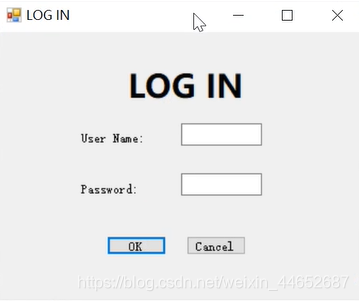
目标效果:
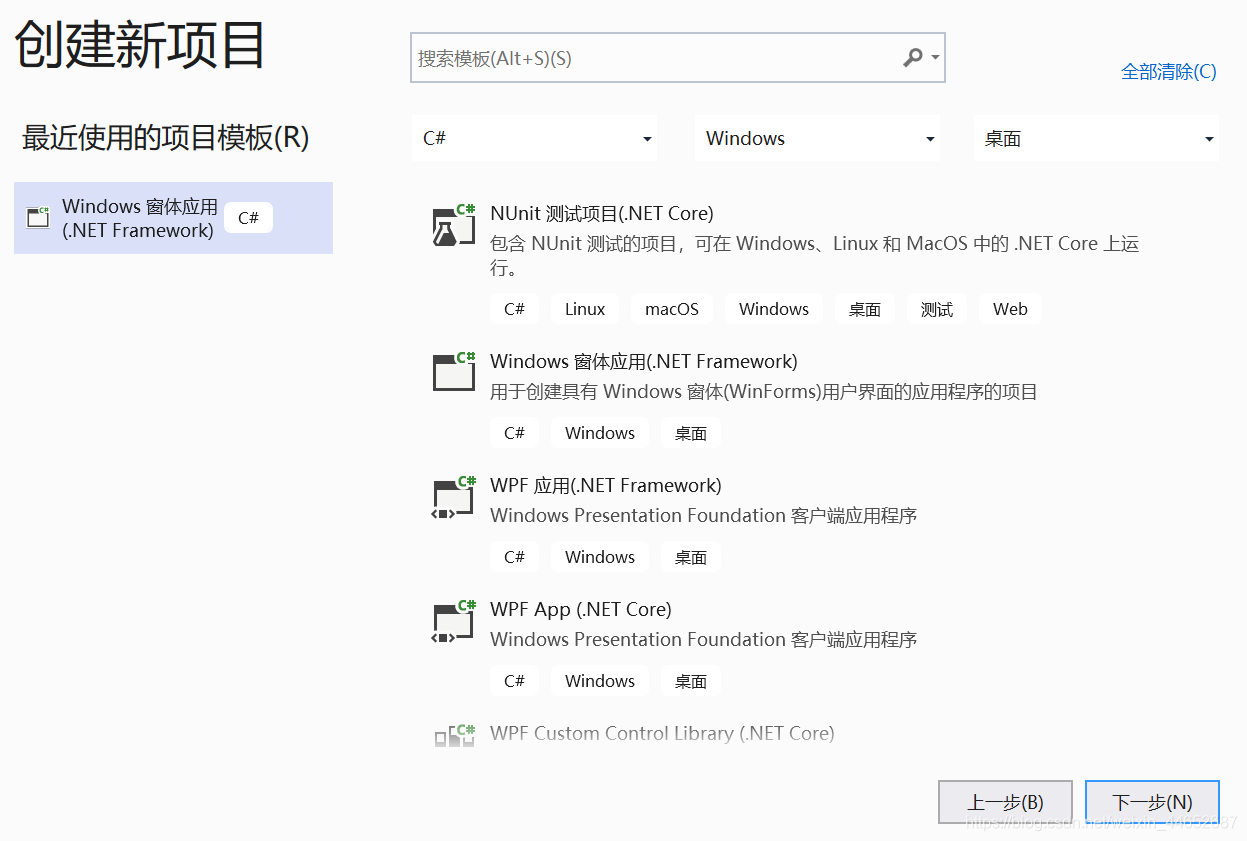
实验步骤:
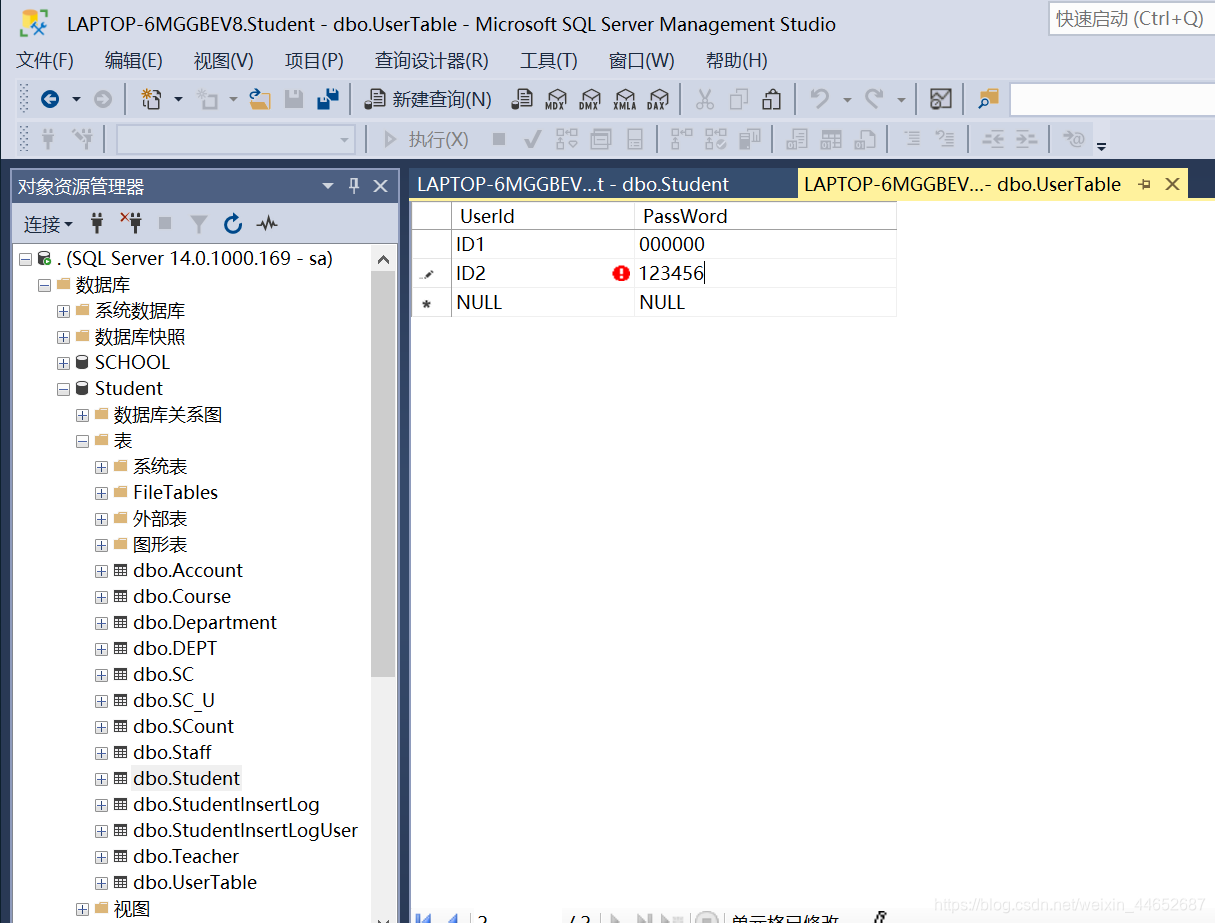
需要在数据库里准备一张关于登录的表,以便下面可以进行使用
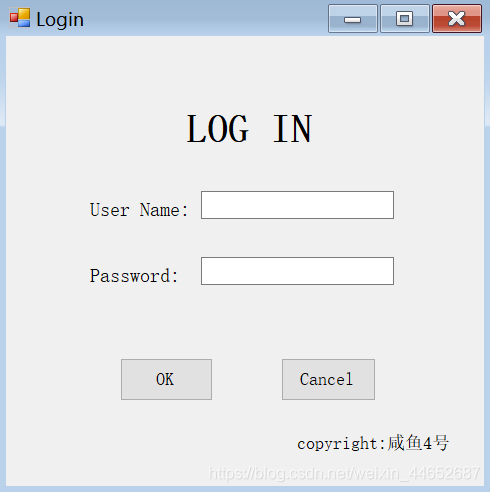
3、根据目标效果从工具箱添加控件:
初步效果:
4、按钮’OK”的点击事件:
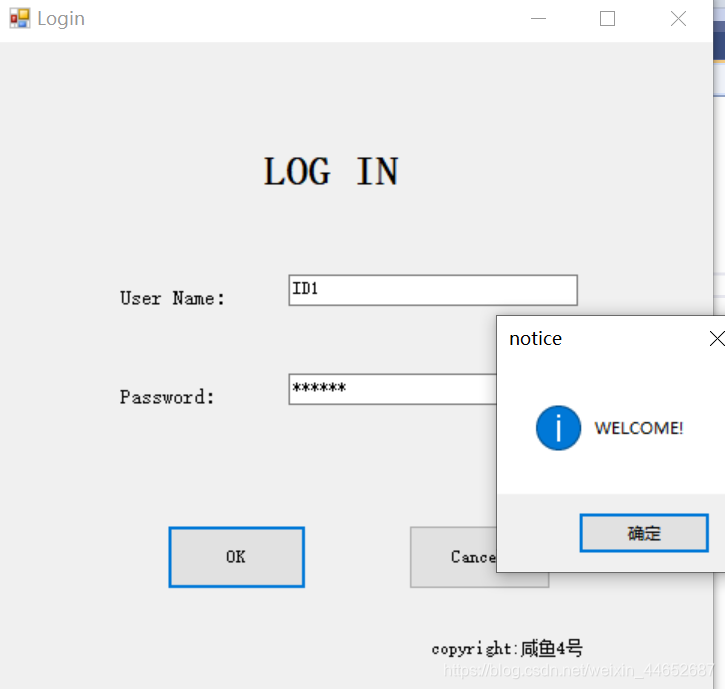
(1)取出文本TextBox里的文本 string username = textBox1.Text.Trim();//取出账号 string password = textBox2.Text.Trim();//取出密码 string myConnString = "Data Source=.;Initial Catalog=Student;Persist Security Info=True;User ID=sa;Password=*********"; //此处我的密码用*代替 SqlConnection sqlConnection = new SqlConnection(myConnString);//实例化连接对象 sqlConnection.Open();//打开数据库 string sql = "select UserId,Password from UserTable where UserId = '" + username + "' and Password = '" + password + "'"; //编写SQL命令 SqlCommand sqlCommand = new SqlCommand(sql, sqlConnection); SqlDataReader sqlDataReader = sqlCommand.ExecuteReader(); if (sqlDataReader.HasRows) { MessageBox.Show("WELCOME!", "notice", MessageBoxButtons.OK, MessageBoxIcon.Asterisk); label1.Text = "Log in:" + username; } else { MessageBox.Show("FAILED!", "notice", MessageBoxButtons.OK, MessageBoxIcon.Error); } sqlConnection.Close();
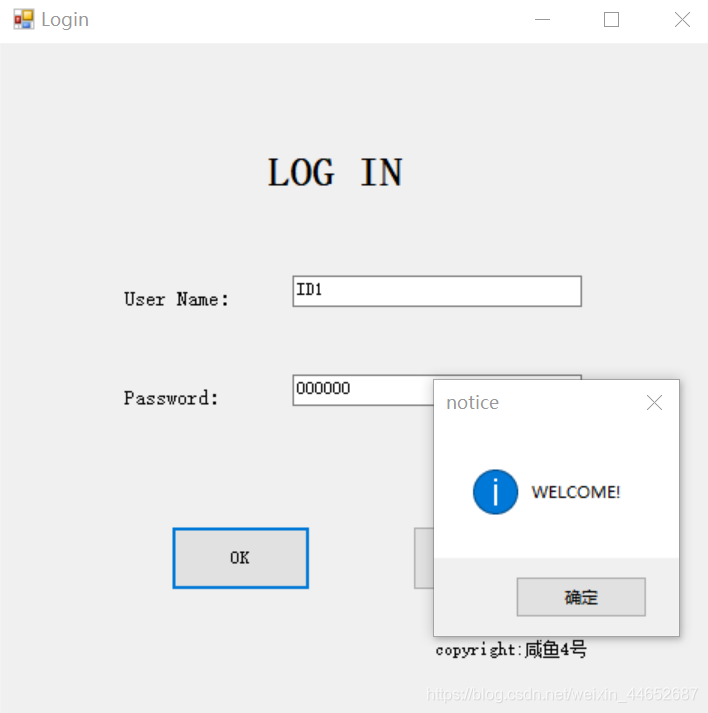
5、按钮“Cancel”的点击事件:private void button2_Click(object sender, EventArgs e) { Application.Exit(); }
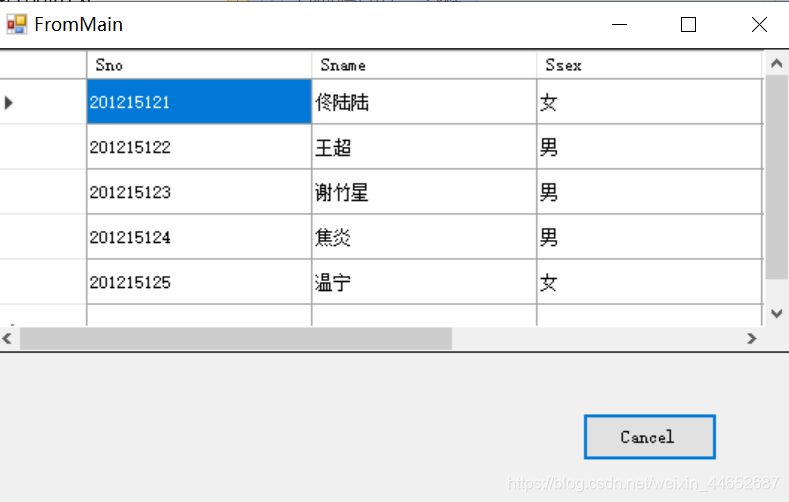
实现功能:在输入信息正确的前提下,弹出新的窗体,隐藏“Login”窗体
(1)在【解决方案管理器】中新建一个窗体
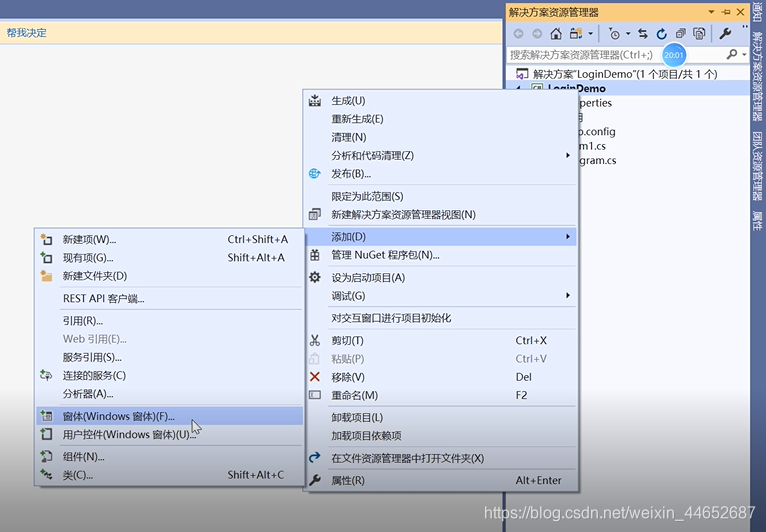
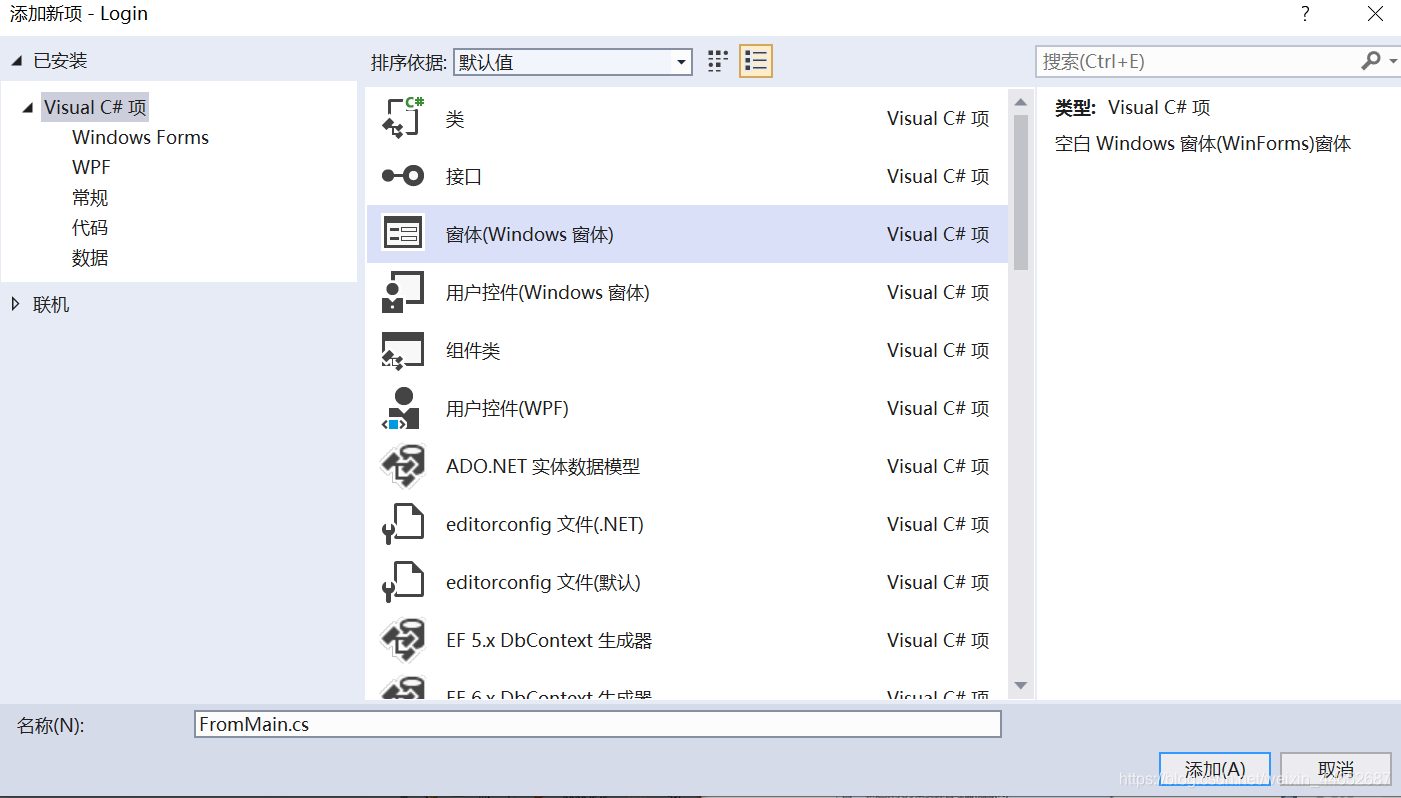
(2)添加代码FromMain fromMain = new FromMain(); fromMain.Show(); this.Hide();
成功
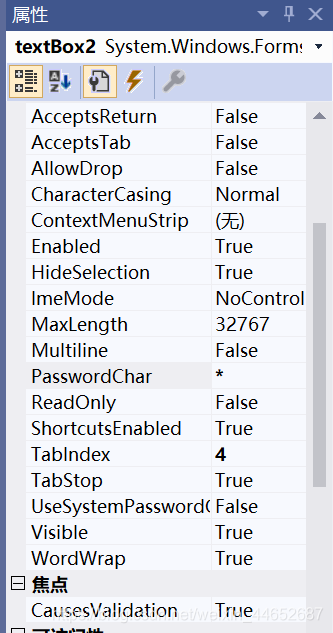
7、修改输入密码的TextBox的属性:
修改属性TextBox,使得输入的时候无法看见输入的密码,而是以“*”代替。
修改属性表中的“PasswordChar”,即可成功。
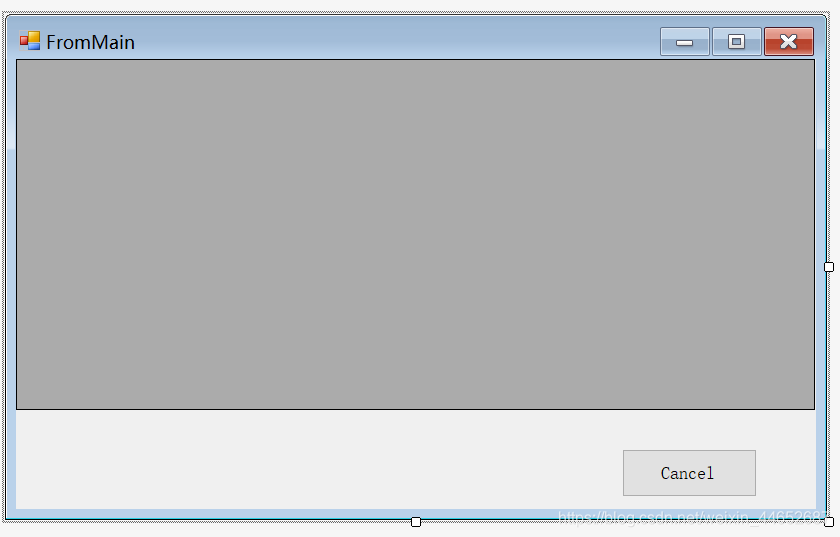
(1)初步建立,为窗体添加button按钮和DataGridView控件
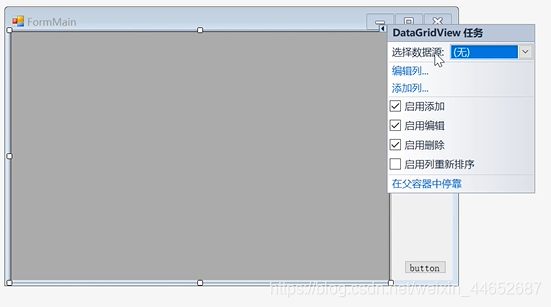
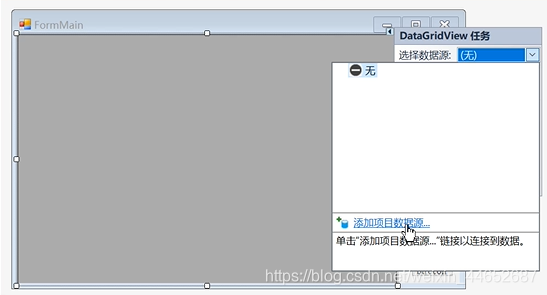
(2)添加项目数据源
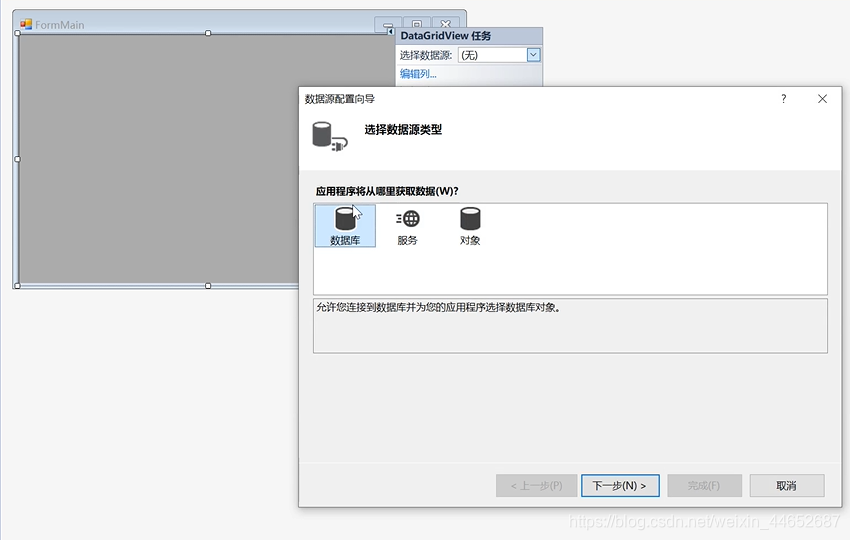
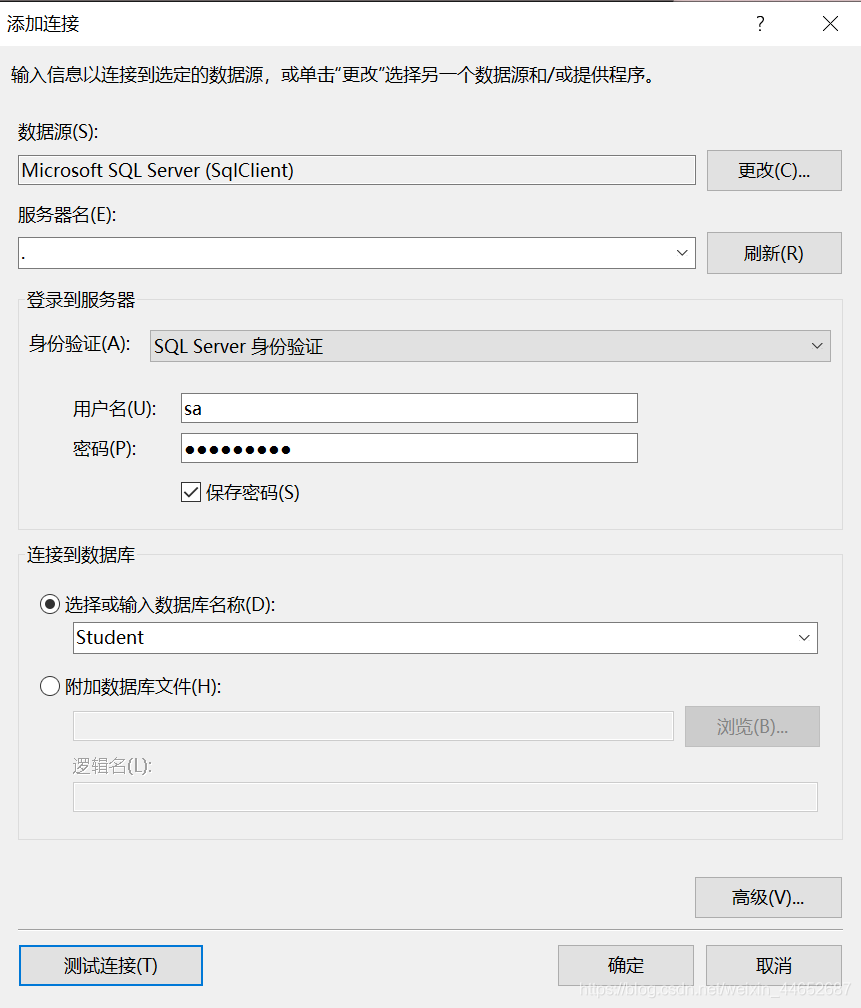
测试连接:连接成功
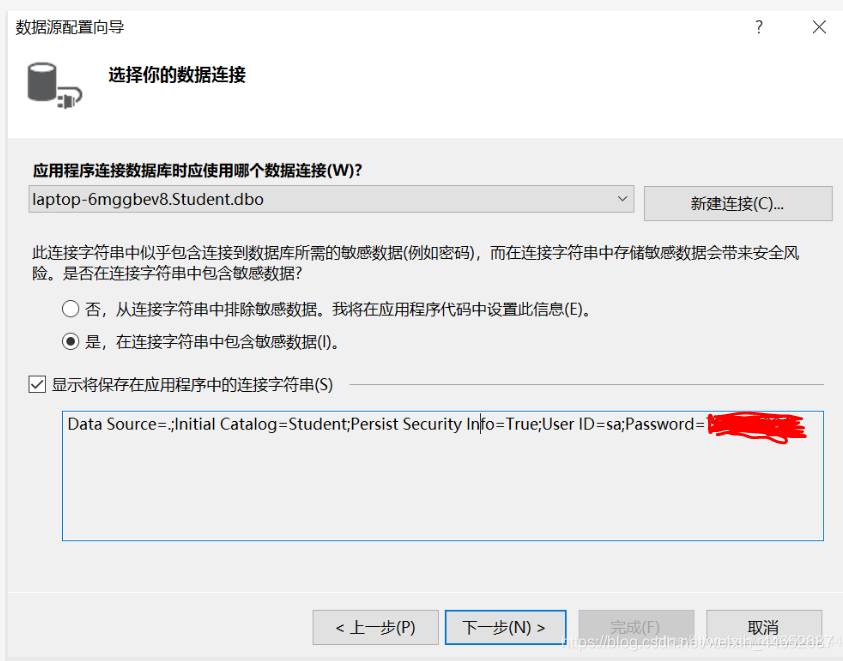
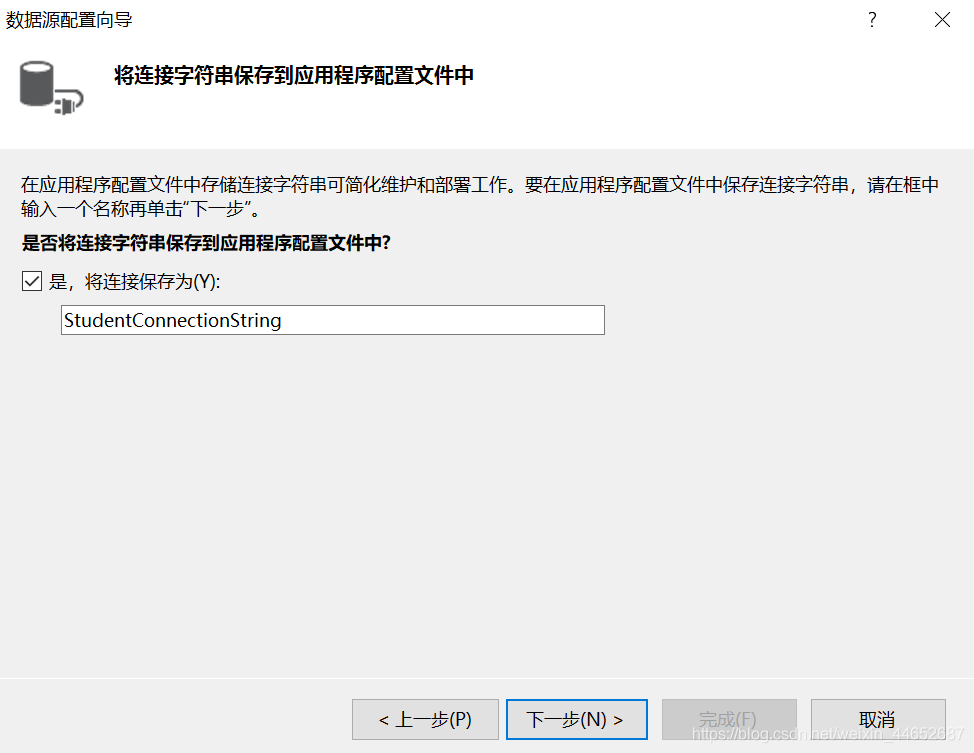
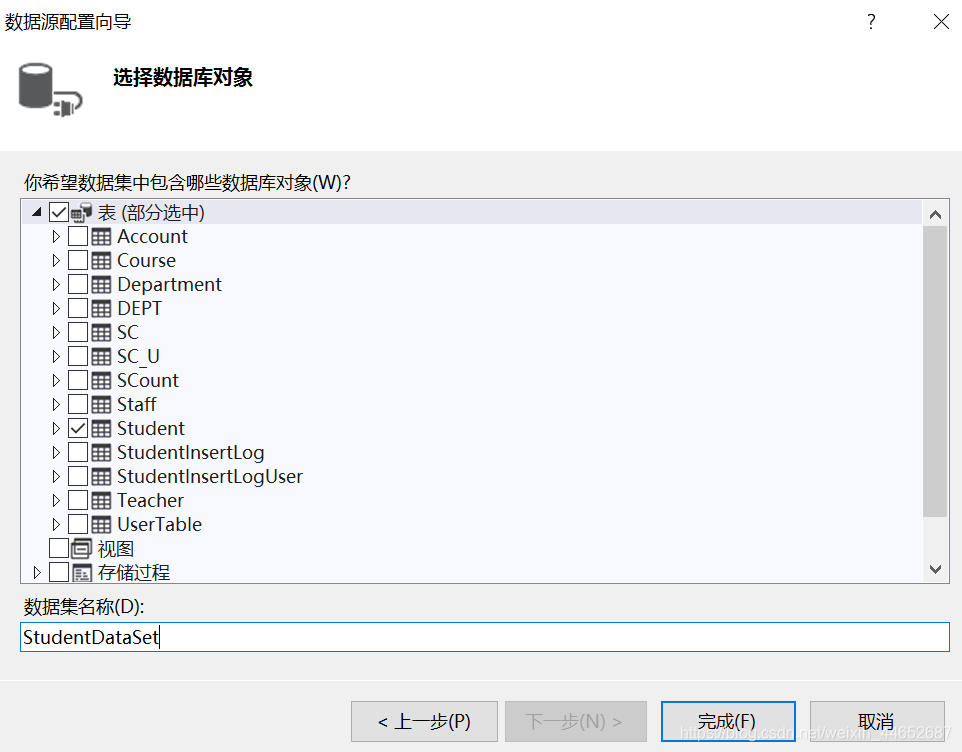
(3)为button按钮添加点击事件运行效果:
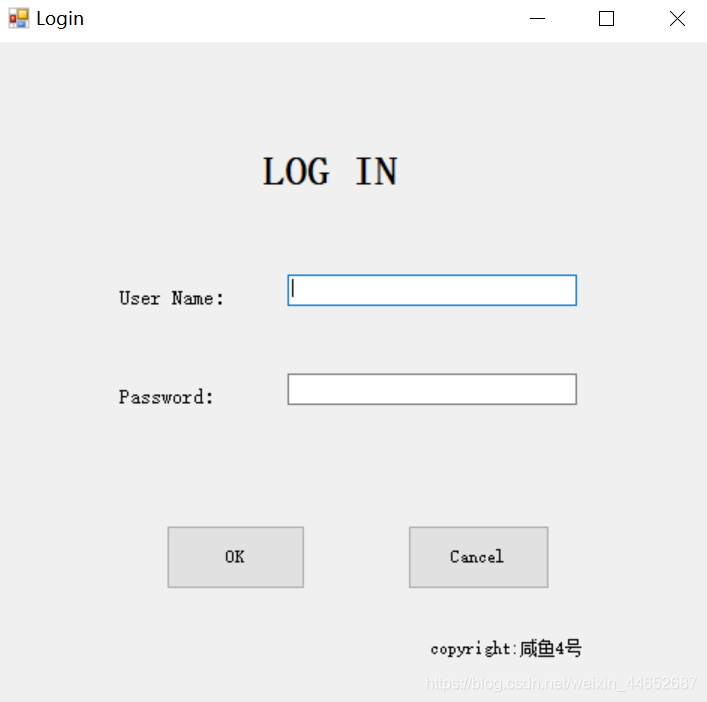
点击Cancel,则退出
输入错误密码时:
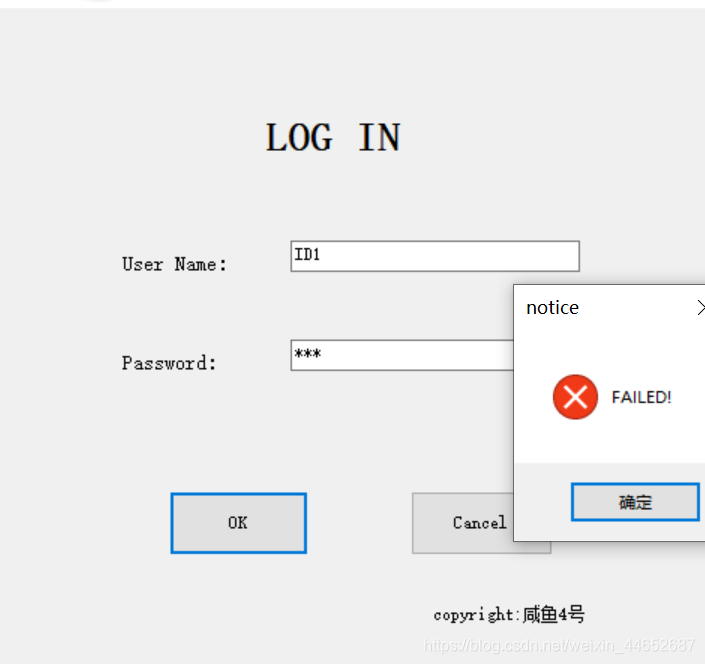
输入正确时:
点击确定后:
点击Cancel,则退出代码:
using System; using System.Collections.Generic; using System.ComponentModel; using System.Data; using System.Data.SqlClient; using System.Drawing; using System.Linq; using System.Text; using System.Threading.Tasks; using System.Windows.Forms; namespace Login { public partial class Form1 : Form { public Form1() { InitializeComponent(); } private void Form1_Load(object sender, EventArgs e) { } private void label1_Click(object sender, EventArgs e) { } private void button1_Click(object sender, EventArgs e) { string username = textBox1.Text.Trim();//取出账号 string password = textBox2.Text.Trim();//取出密码 string myConnString = "Data Source=.;Initial Catalog=Student;Persist Security Info=True;User ID=sa;Password=*********"; //此处密码用*代替 SqlConnection sqlConnection = new SqlConnection(myConnString);//实例化连接对象 sqlConnection.Open();//打开数据库 string sql = "select UserId,Password from UserTable where UserId = '" + username + "' and Password = '" + password + "'"; //编写SQL命令 SqlCommand sqlCommand = new SqlCommand(sql, sqlConnection); SqlDataReader sqlDataReader = sqlCommand.ExecuteReader(); if (sqlDataReader.HasRows) { MessageBox.Show("WELCOME!", "notice", MessageBoxButtons.OK, MessageBoxIcon.Asterisk); label1.Text = "Log in:" + username; FromMain fromMain = new FromMain(); fromMain.Show(); this.Hide(); } else { MessageBox.Show("FAILED!", "notice", MessageBoxButtons.OK, MessageBoxIcon.Error); } sqlConnection.Close(); } private void button2_Click(object sender, EventArgs e) { Application.Exit(); } } } using System; using System.Collections.Generic; using System.ComponentModel; using System.Data; using System.Drawing; using System.Linq; using System.Text; using System.Threading.Tasks; using System.Windows.Forms; namespace Login { public partial class FromMain : Form { public FromMain() { InitializeComponent(); } private void FromMain_Load(object sender, EventArgs e) { // TODO: 这行代码将数据加载到表“studentDataSet.Student”中。您可以根据需要移动或删除它。 this.studentTableAdapter.Fill(this.studentDataSet.Student); } private void button1_Click(object sender, EventArgs e) { Application.Exit(); } } } 心得与体会:
本网页所有视频内容由 imoviebox边看边下-网页视频下载, iurlBox网页地址收藏管理器 下载并得到。
ImovieBox网页视频下载器 下载地址: ImovieBox网页视频下载器-最新版本下载
本文章由: imapbox邮箱云存储,邮箱网盘,ImageBox 图片批量下载器,网页图片批量下载专家,网页图片批量下载器,获取到文章图片,imoviebox网页视频批量下载器,下载视频内容,为您提供.
阅读和此文章类似的: 全球云计算
 官方软件产品操作指南 (170)


